
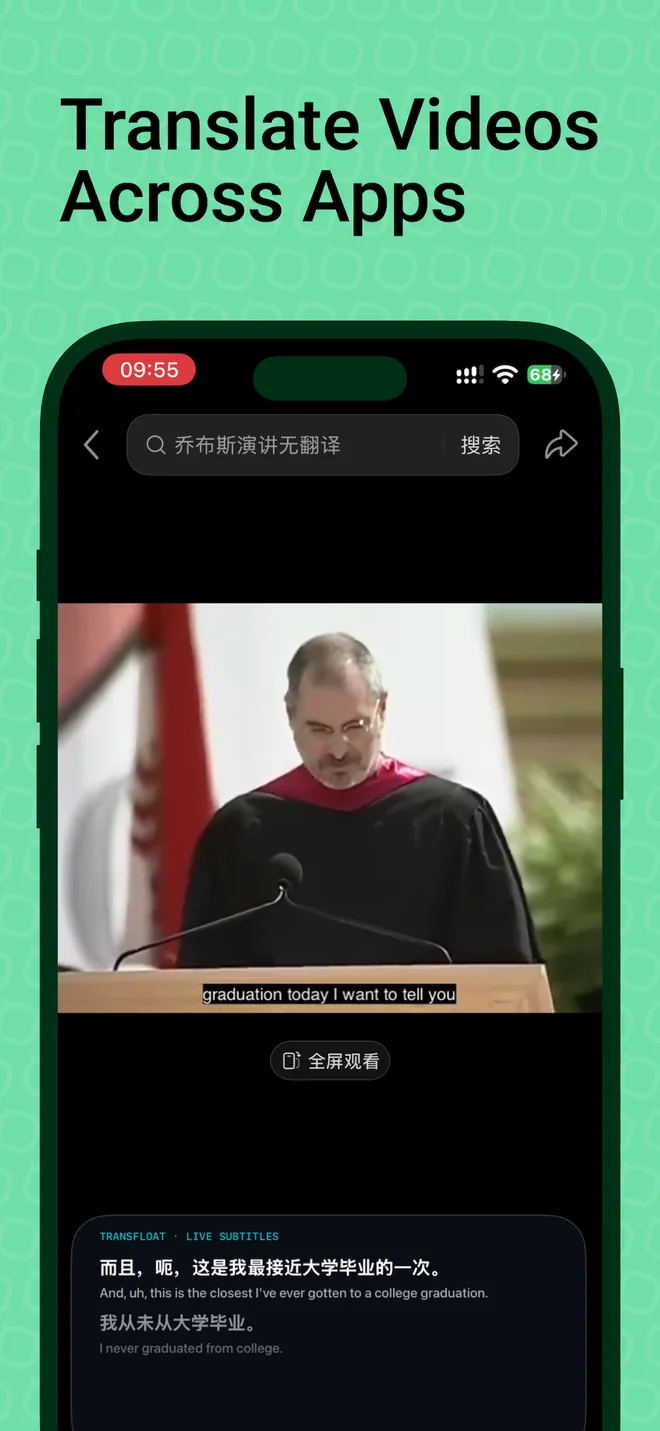
Follow supported videos and spoken audio
A video or audio stream may not include subtitles in the language you read. TransFloat uses audio made available through the iOS system broadcast to generate original and translated text. This can help you follow supported talks, videos, or other spoken content.
Cross-app translation handles the audio stream. It does not translate text drawn on screen, edit the original video, or add a dubbed voice track.
How to start cross-app translation
- Create a task, select Cross-App Translation, and choose the source and target languages.
- Prepare the required speech and translation resources.
- Use the system broadcast picker to start the TransFloat broadcast.
- Open the source app and play supported audio.
- Enable Picture in Picture subtitles to read captions while switching apps. Stop the broadcast when you finish.
Floating subtitles with Picture in Picture
The floating subtitle window keeps the words visible outside the main TransFloat screen. Choose your preferred subtitle content and display height in subtitle settings. PiP requires Pro and a supported device and system environment.
Compatibility has limits
Some apps, protected media, or audio routes do not provide usable audio to the iOS broadcast. An active broadcast is not a guarantee that TransFloat can hear the source. Device capabilities, the iOS version, language resources, and the source app all affect availability.
TransFloat does not promise compatibility with every streaming service, phone call, meeting app, or video. No universal list of supported apps has been verified for this website. Try your intended audio source before depending on it.
If subtitles do not appear
- Check that the system broadcast is running and the source app is playing audible speech.
- Confirm your selected source language matches the audio and that required resources are ready.
- Return to TransFloat to check the task state and your Pro access.
- If the source blocks audio capture, use a different permitted source. TransFloat cannot override that restriction.
Other ways to translate
For someone speaking nearby, use microphone translation with bilingual subtitles. For a local audio recording, Pro includes audio file import and timeline subtitles. Saved text can be exported as SRT or TXT. See support and troubleshooting for more help.