듣고 · 읽고 · 이해하세요 번역 방법 선택
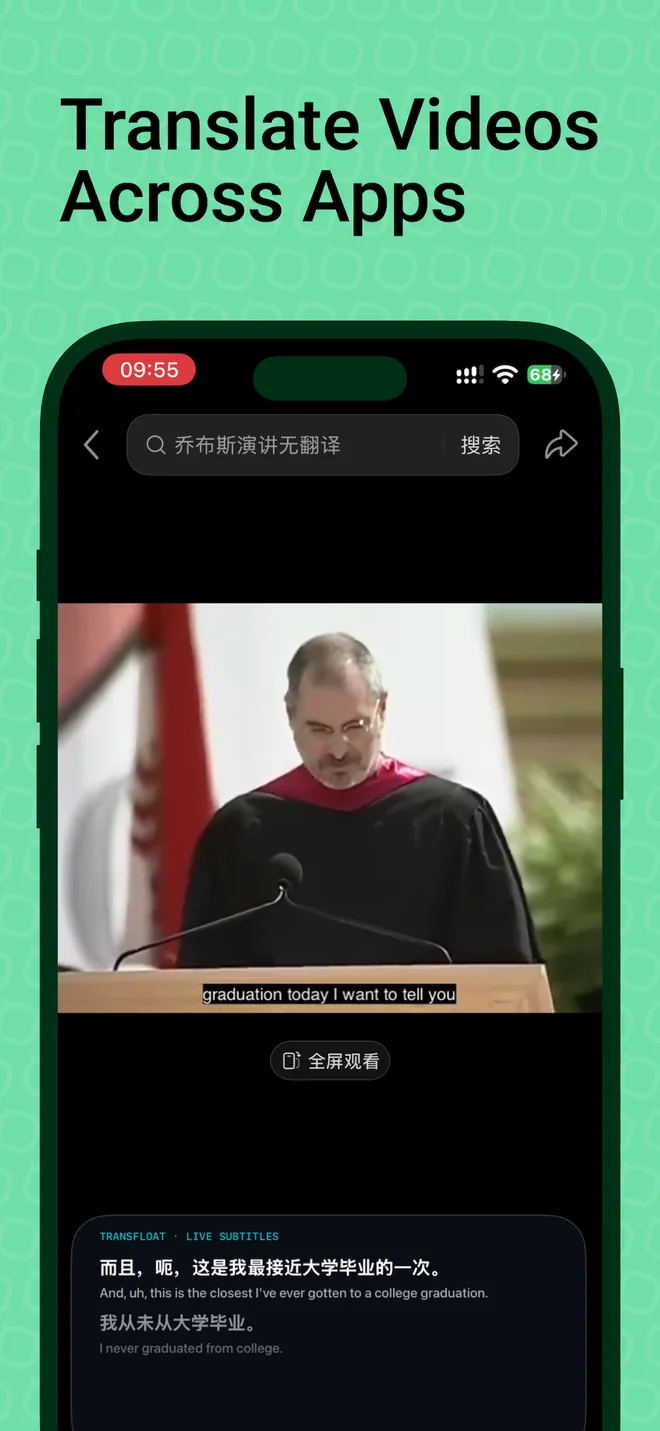
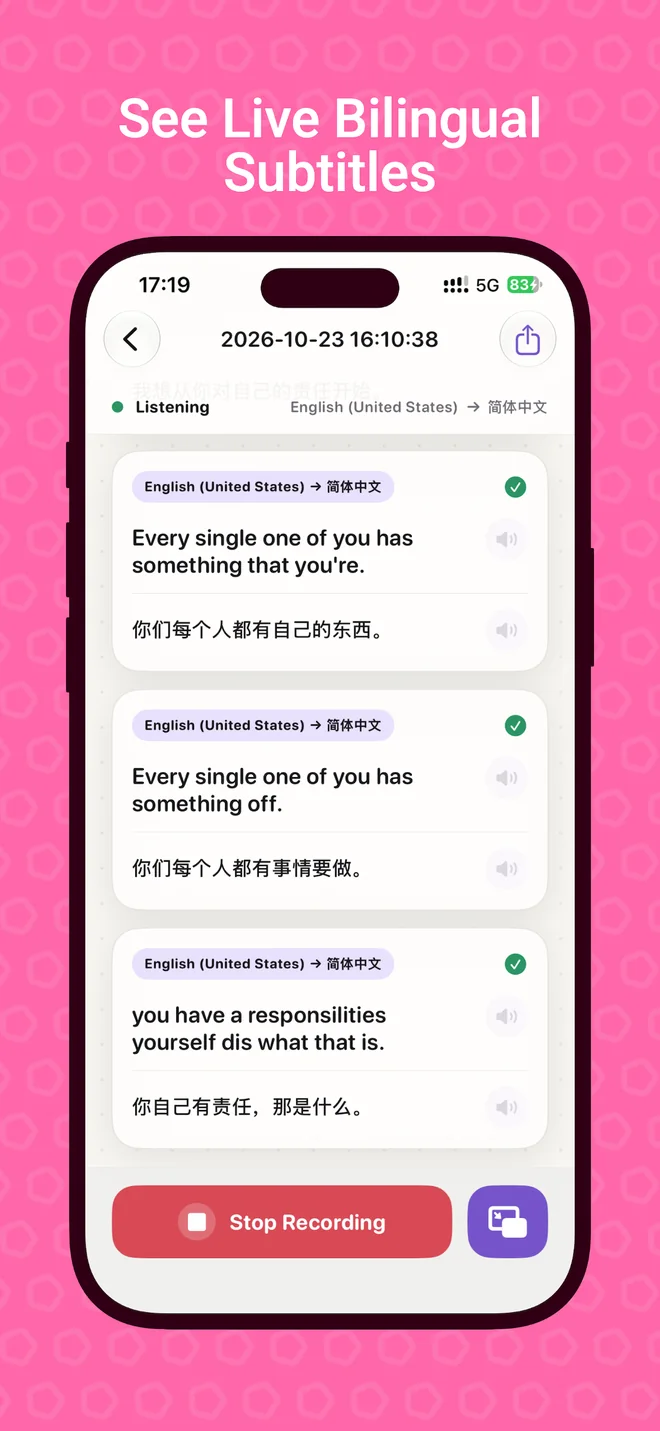
앱을 넘나드는 실시간 이중 언어 자막
iPhone에서 말, 동영상, 지원되는 앱 오디오를 번역하고 원문과 번역을 함께 확인하세요.
지원되는 오디오, 언어 및 기기만 이용할 수 있습니다. 앱 간 번역과 플로팅 자막은 Pro가 필요합니다.
TransFloat란?
TransFloat는 음성과 오디오를 이중 언어 자막으로 바꾸는 iPhone 앱입니다. 마이크 번역을 지원하며 앱 간 오디오 번역과 오디오 파일 가져오기는 Pro 기능입니다.
Developed by Qinfu Tech.
번역에서 덜 헤매도록
오디오를 따라가며 의미를 지키세요.
번역 방법 선택
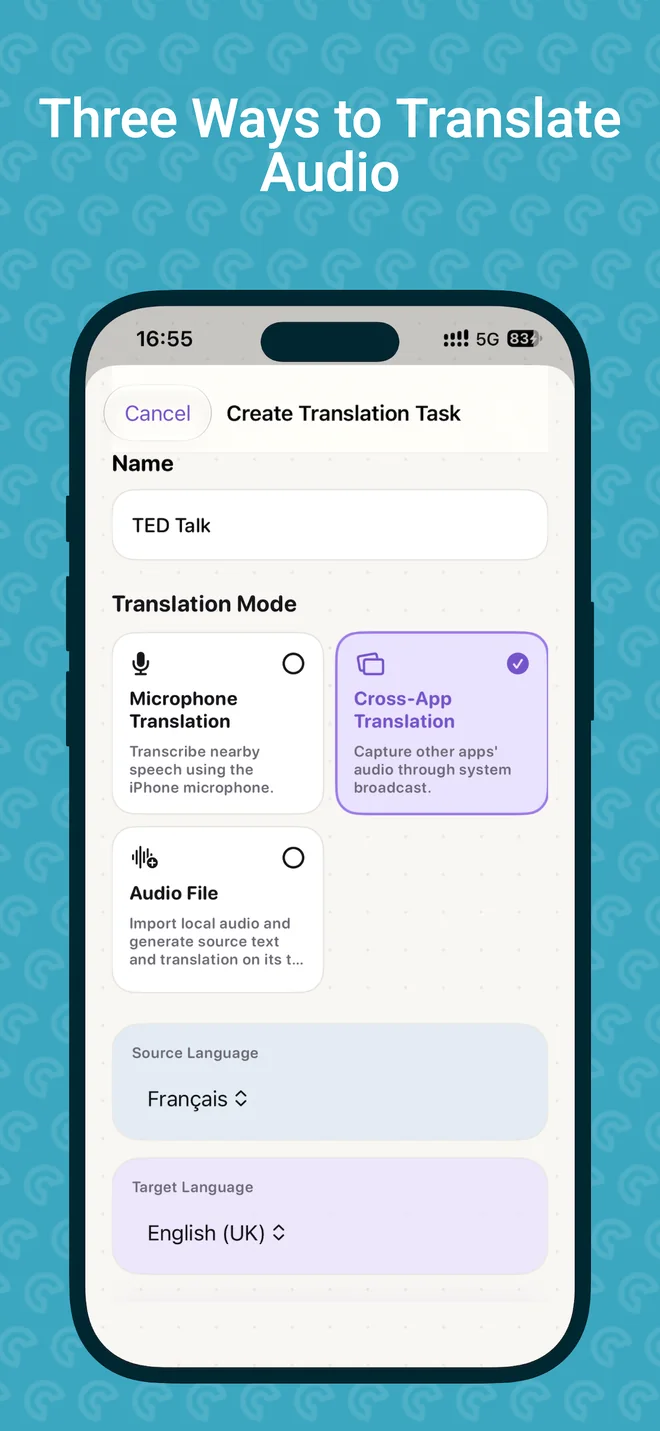
오디오를 번역하는 세 가지 방법
듣고 있는 오디오에 맞는 소스를 선택하세요.
마이크
언어를 선택하고 마이크 접근을 허용한 다음 주변의 말을 들어 보세요.
앱 간 · Pro
시스템 브로드캐스트를 시작한 뒤 지원되는 앱에서 오디오를 재생하세요.
오디오 파일 · Pro
로컬 오디오 파일을 가져와 원문과 번역의 타임라인 자막을 만드세요.
들은 내용을 보관하세요듣는 순간.
듣는 순간.
다시 보는 기록.
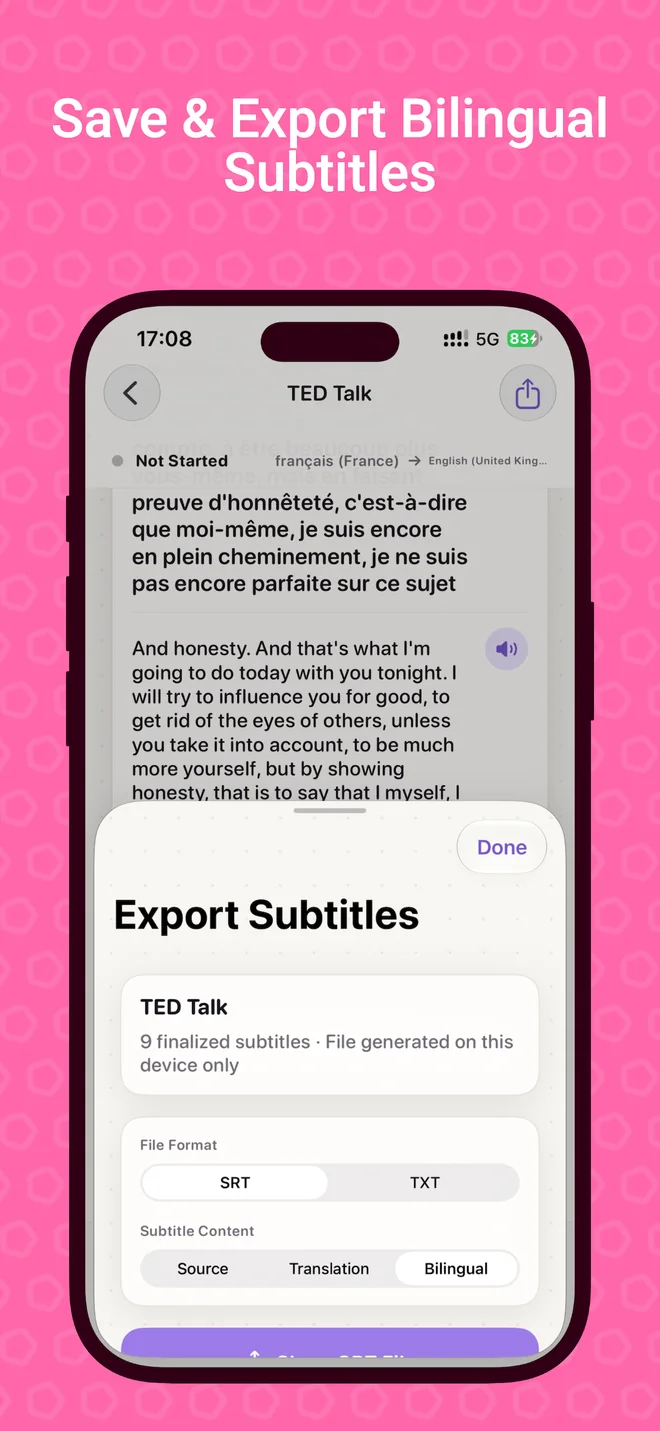
저장한 번역 작업을 기록에서 열어 자막을 확인하고 원하는 형식으로 내보내세요.
TransFloat 화면
iPhone에서 확인하세요.
처음 듣는 순간부터 자막 저장까지, 실제 화면 6개.
TransFloat Pro더 많은 방법으로
더 많은 방법으로
따라가세요.
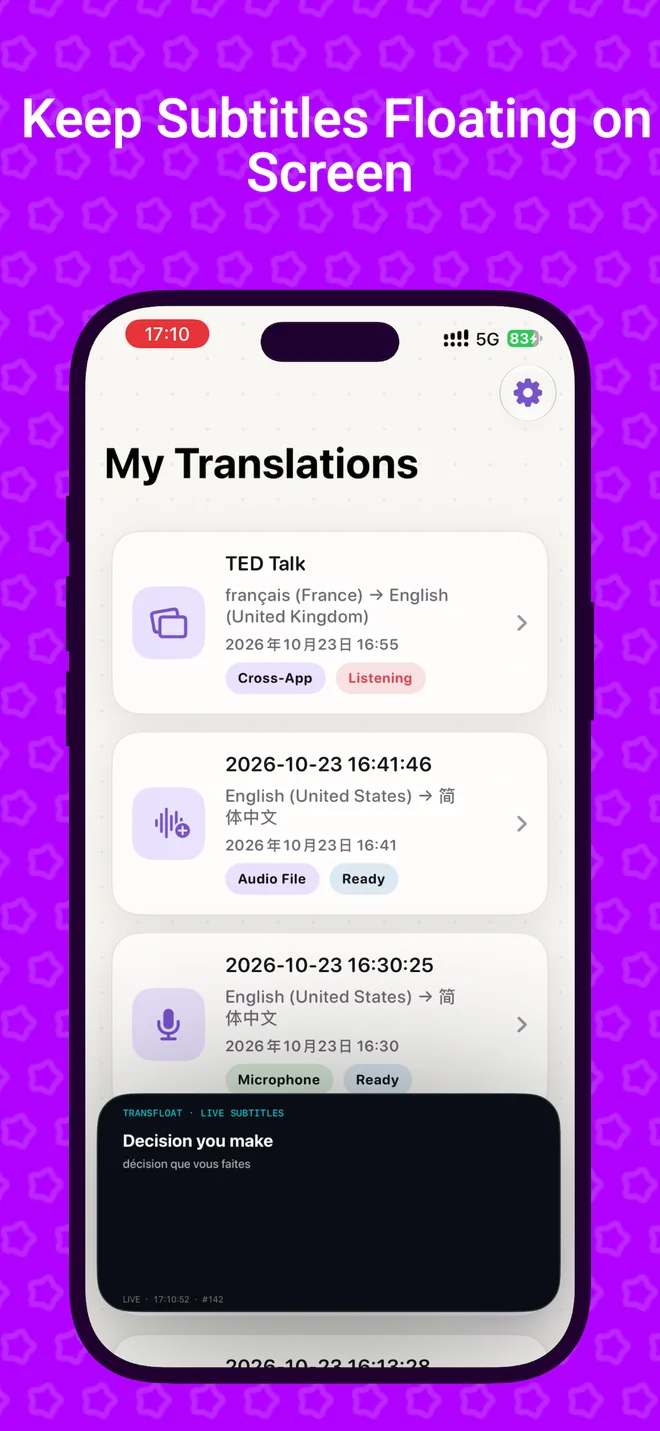
앱 간, 오디오 파일, 플로팅 자막 창에서 번역을 사용할 수 있습니다.
✓앱 간 번역PRO
✓오디오 파일 · ProPRO
✓화면 속 화면 · ProPRO
✓iCloud syncPRO
Does TransFloat work with every app?
No. Cross-app translation depends on audio made available by the source app and iOS.
Which features require Pro?
Cross-app translation, audio files, Picture in Picture subtitles, and optional iCloud sync require Pro.
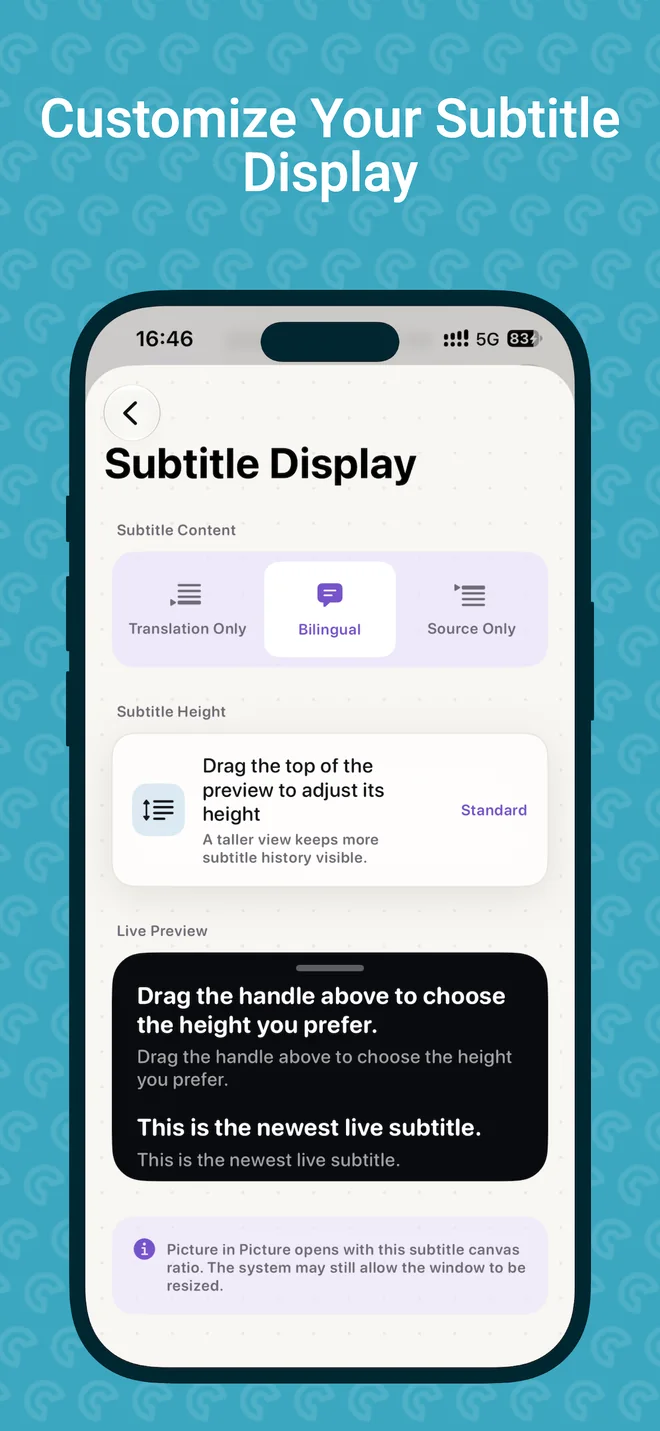
Can I read both languages together?
Yes. Bilingual subtitles show original and translated text together.
대화를 놓치지 마세요.
실시간 음성과 지원되는 앱 오디오를 두 언어로 함께.